Purchases and receipts
The receipt, the warranty card and the product in one place
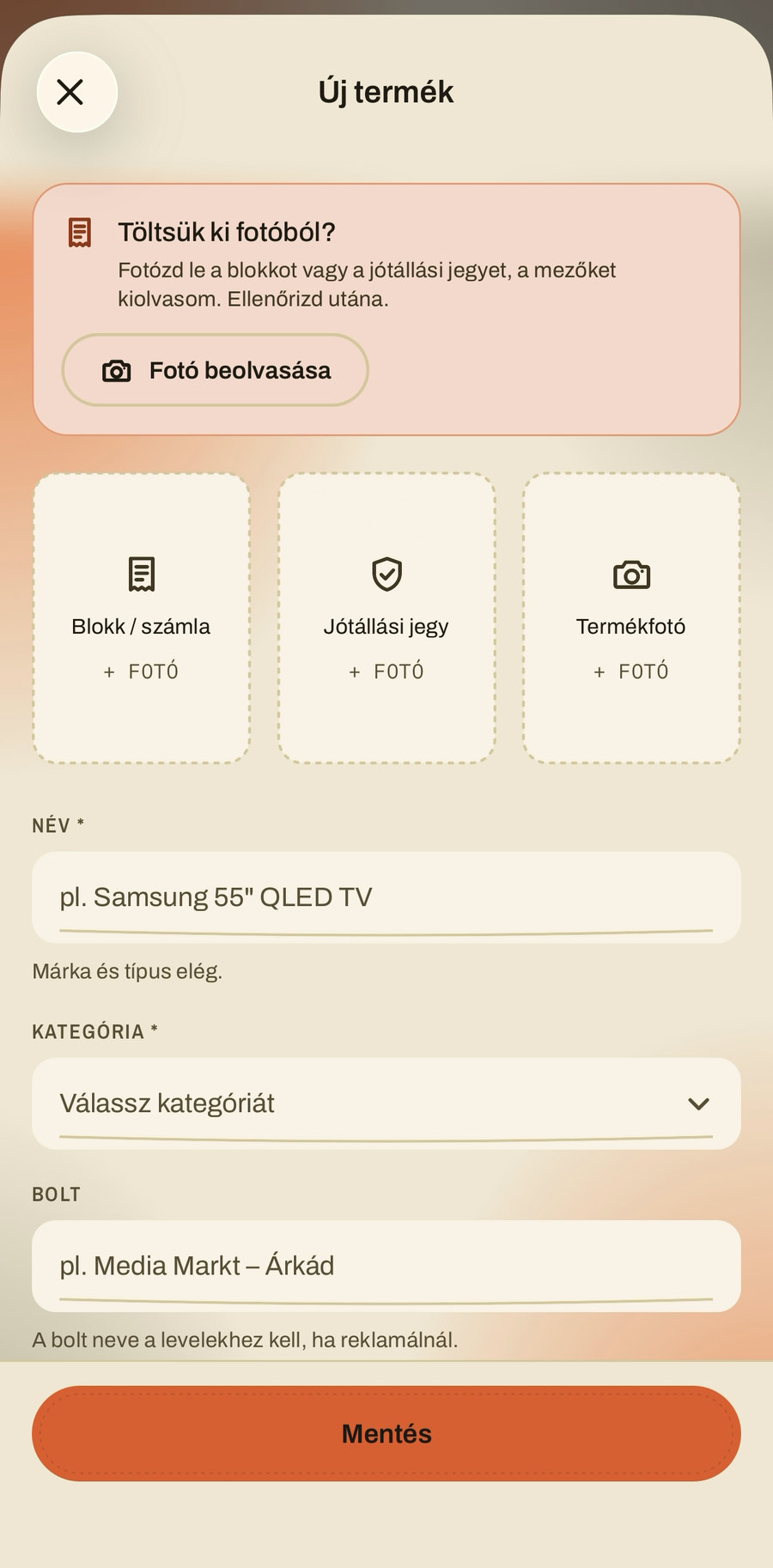
Photograph the receipt or the warranty card: the app reads out the name, the category, the gross price, the date of purchase, the shop and the serial number, and you check it before saving. If you do not have the receipt to hand, you can enter everything by hand.
- Three photo slots: receipt or invoice, warranty card, product photo. Up to 6 MB per image (JPEG, PNG, WebP, HEIC).
- One-off text recognition: the image is sent to Google's Gemini service, where it is not stored and is not used for training. Daily allowance: 40 scans per account.
- Fields: name, category, shop, date of purchase, gross price, serial number, durable-goods flag, extended warranty in months, note.
- Itemised receipt reading (Pro): we list every line of a shopping receipt, and you tick what goes in. When adding with a warranty, only durable goods are ticked by default — items without a warranty are shown too, but not selected by default. Item names can be edited, because receipts abbreviate them.
- Scan with the camera: in the phone app, the camera finds the edges of the receipt, then crops and straightens the image, so even a crumpled receipt or one photographed at an angle reads more accurately.
- Other expense: a one-off or monthly recurring item (for example a car mechanic or a gas bill) for the monthly expense overview. With Pro you can also fill it in from a receipt: we list the items, you untick what should not count, the selected lines add up to the expense, and the item names go into the note.