How it works
From the receipt to the reminder, in six steps
The six steps
Handle warranties and subscriptions smartly and leave the paperwork to us: we fill in the fields from the photo, and you check them before saving.
-
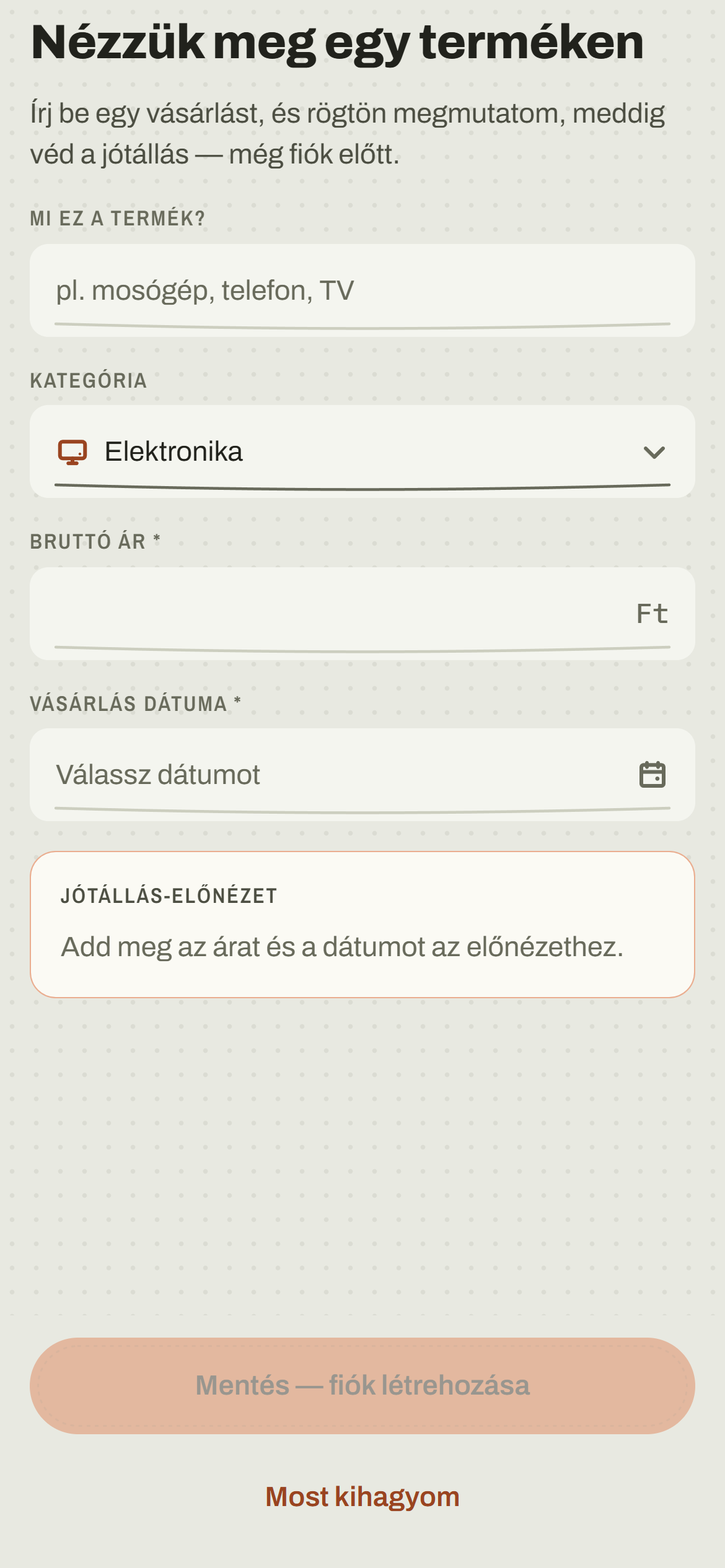
Try a warranty calculation without an account
In the browser, the Let’s try it on a product screen works without signing in: you enter a purchase and see straight away how long the warranty lasts. If you want to save it, you create an account with an email address and password, or with Sign in with Apple on iPhone. You can start a plan and the 7 day free trial in the browser too; the same account works on all your devices.
- Your data is tied to your own account and available on all your devices.
- There is no bank access, and we never ask for a card or account number.
-
Choose what you want to add
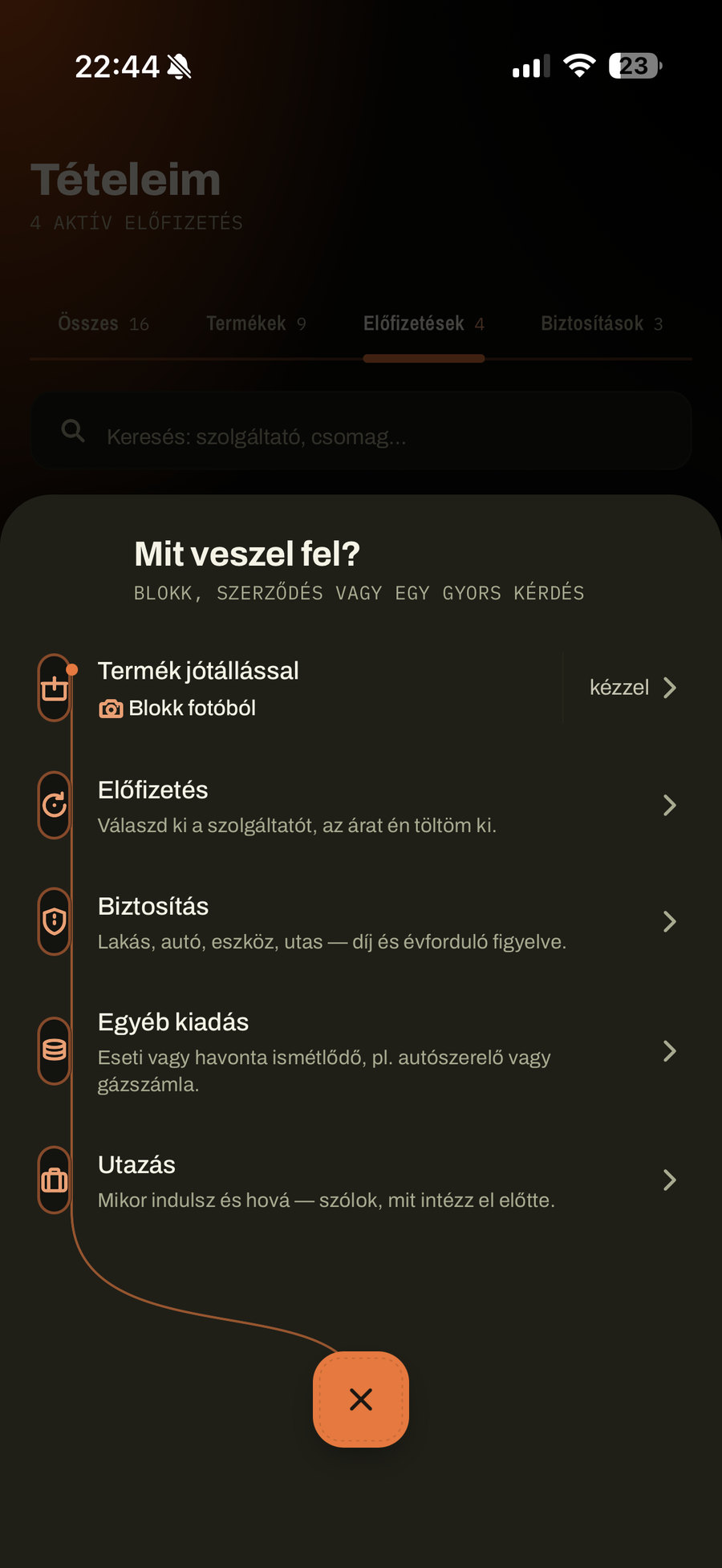
The + button at the bottom of the screen offers all the options in a single menu: product with warranty, fill in from a photo, subscription, insurance, other expense (one-off or monthly recurring, for example a car mechanic or a gas bill) and trip.
- Product with warranty: the receipt, the warranty card and the product photo on one item.
- For a subscription you pick the provider, the app fills in the typical price, and you can change it before saving.
-
Photograph the receipt and check the fields
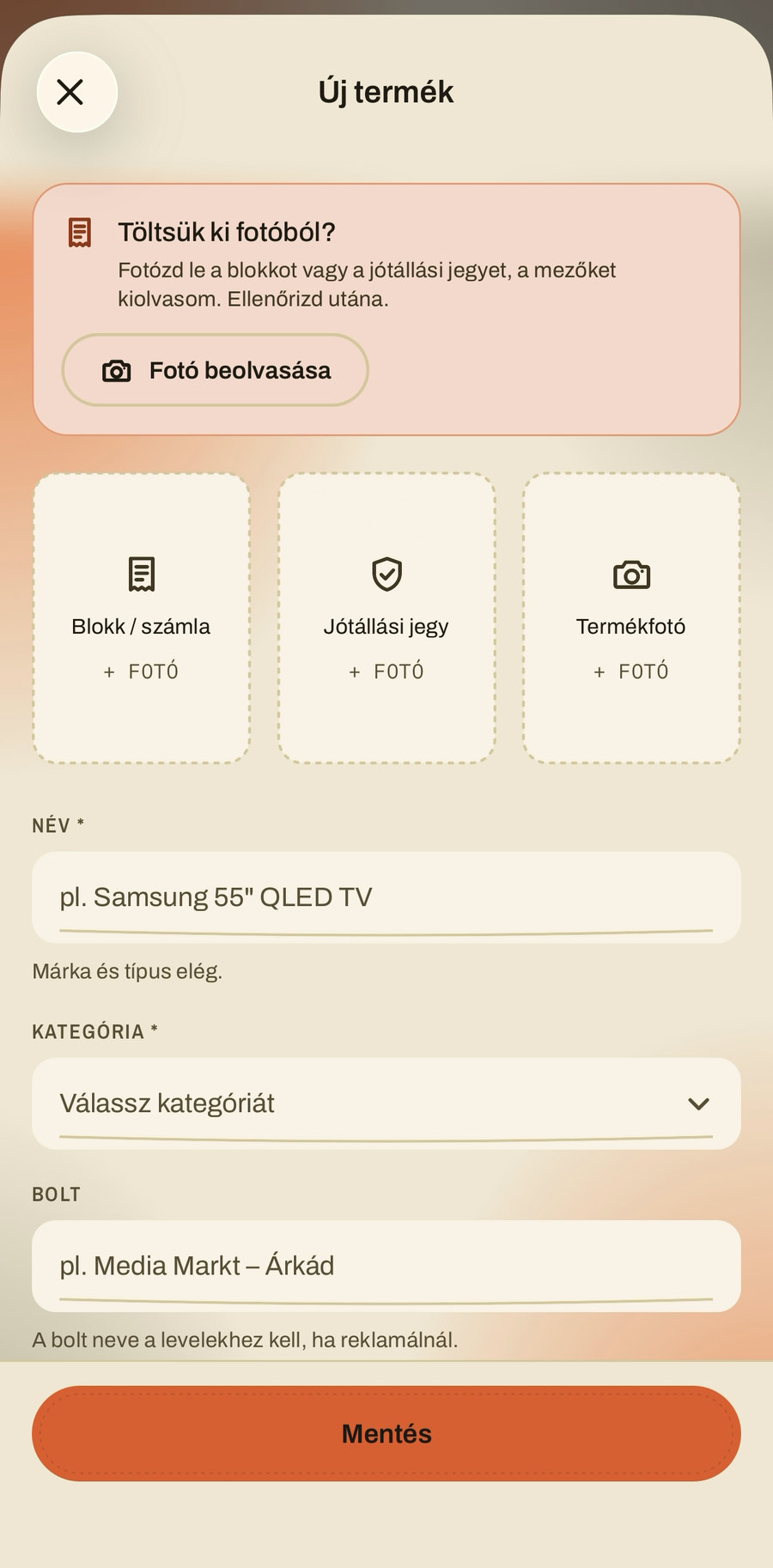
At the top of the New product form, the Shall we fill this in from a photo? card starts the text recognition. The image is sent for one-off processing (Google Gemini), where it is not stored and is not used for training. The name, category, gross price, date of purchase, shop and serial number that are read out go into the fields, and you approve them before saving.
- Three photo slots: receipt or invoice, warranty card, product photo.
- If you do not have the receipt to hand, you can enter it by hand. Daily allowance: 40 scans per account, in every plan.
- The name of the shop is needed for the letters, in case you want to complain later.
-
Look at the calculated deadline and the basis of the calculation
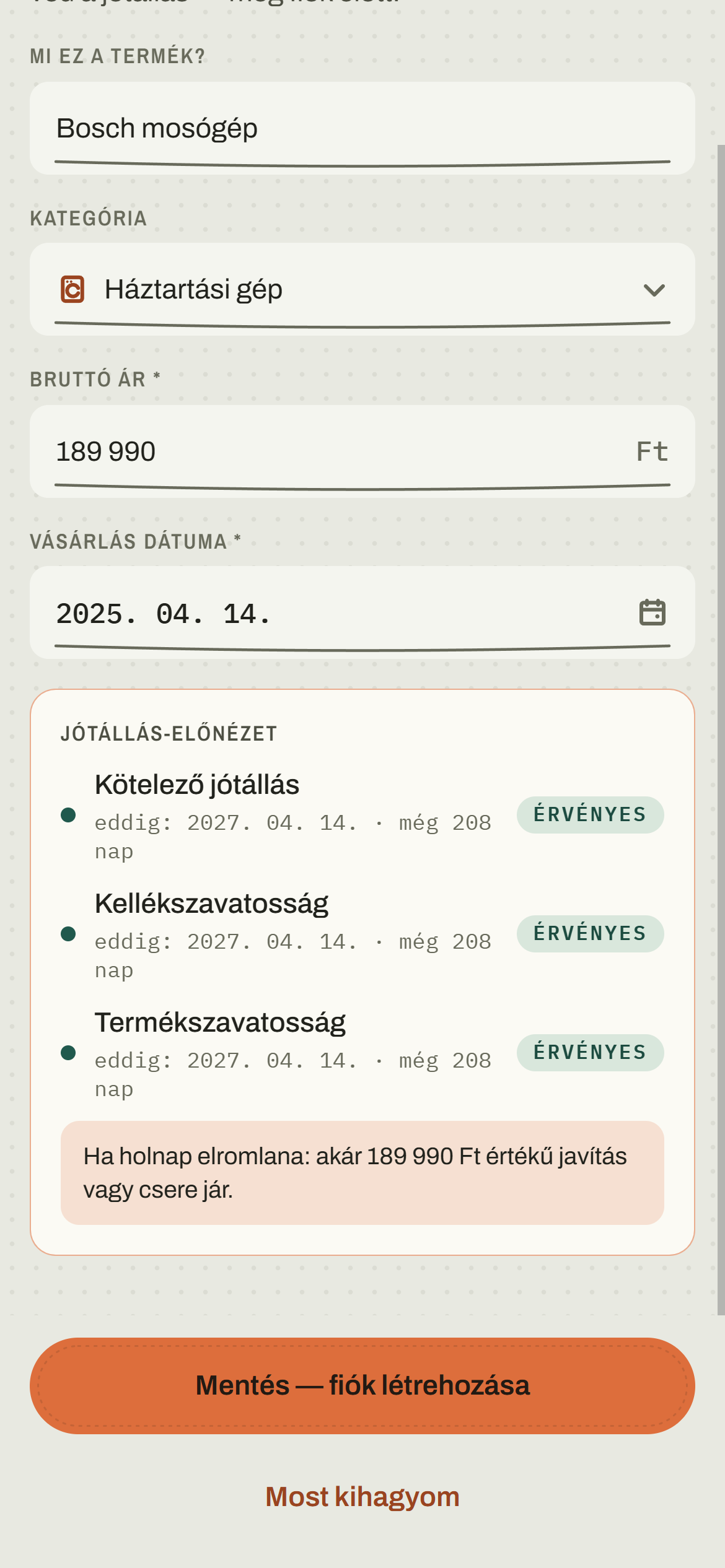
Enter when and for how much you bought the product. Based on that, Wallwio shows how long the mandatory warranty and the statutory and product warranties are valid. You can also see which rule each deadline was calculated from. In the example, the warranty on a washing machine bought on 14 April 2025 for 189 990 Ft is valid until 14 Apr 2027: 2 years according to the price band of Government Decree 151/2003. (IX. 22.) (10 000–250 000 Ft).
- For products bought from 8 May 2024: 10 000–250 000 Ft: 2 years, above 250 000 Ft: 3 years (Government Decree 151/2003.).
- The status colour follows the app's rule: green if valid, amber in the last 30 days before expiry, red once expired.
- This is information, not legal advice. Start date: the date of purchase.
-
Subscriptions and insurance go into the same list
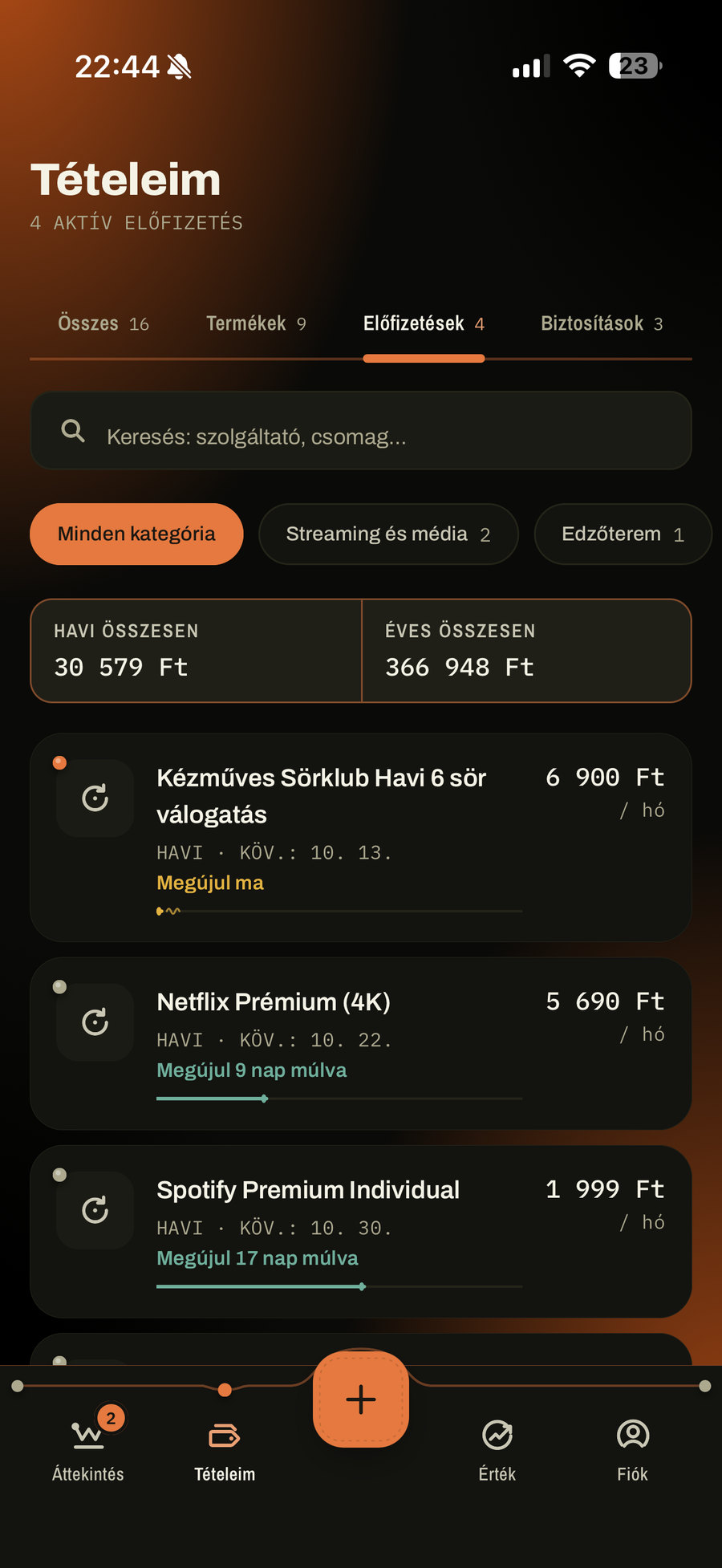
The My items tab shows products, subscriptions and insurance policies in one place, with search and filters:
- “Needs attention”
- “Price rise”
- “Missing warranty card”
At the top are your monthly expenses and the total protected value. A subscription’s page shows the monthly and annual fee, the date of the next renewal, the payment method and the amount paid since you added it.
- When there is a price rise you record the new fee, and the app keeps the previous one.
- If you cancel, the Cancelled button moves the annual fee over to your savings. This is an estimate, not a financial fact.
-
Get a notification before it expires
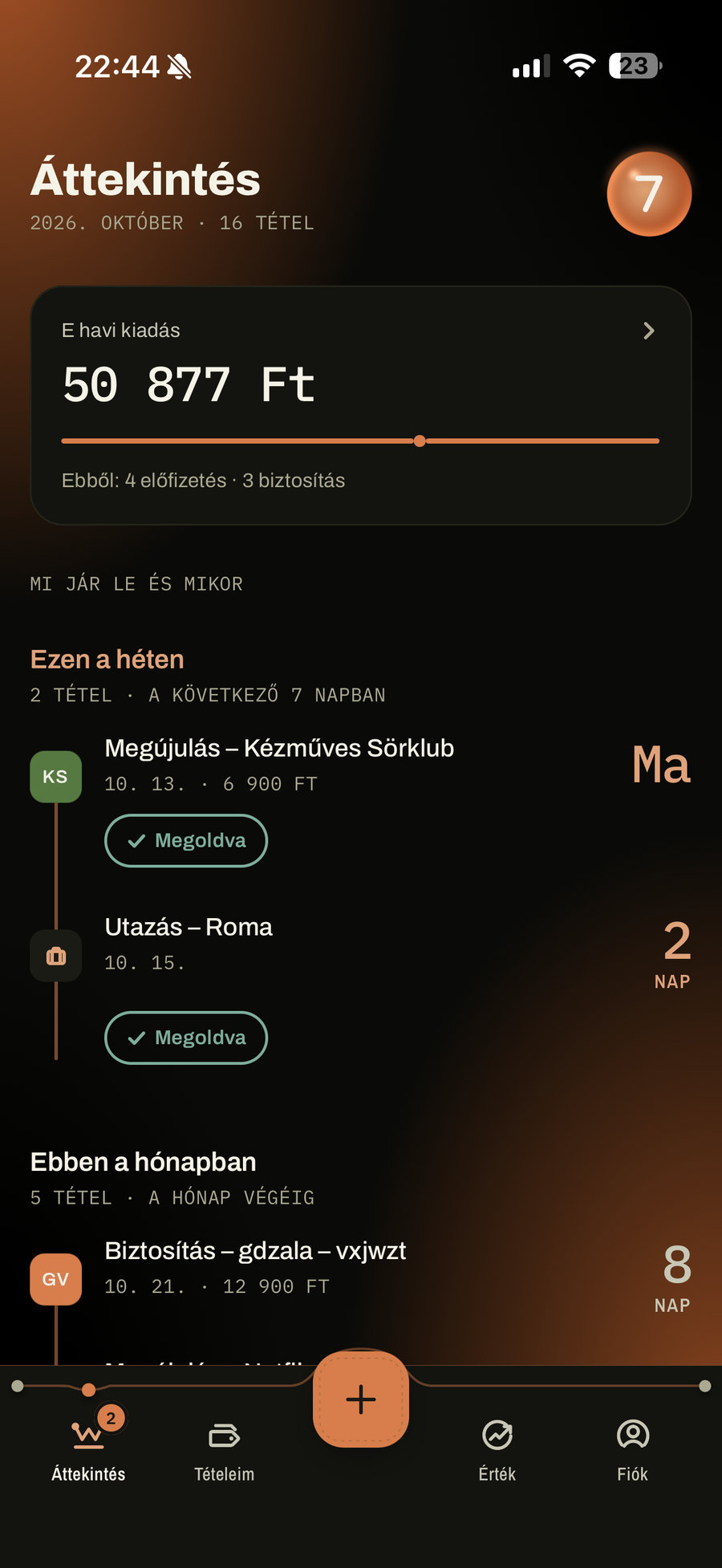
You get a notification on your phone 30 and 7 days before the warranty ends. The app also tells you 3 days before a subscription renews, 14 and 3 days before an insurance premium is due, and 45, 30 or 14 days before an insurance anniversary depending on the category; before a trip abroad it tells you 7 and 1 days ahead if something on the list is still left to do. The Overview shows in one place what needs your attention this week and how much you are spending this month.
- A weekly summary arrives at 18:00 on Sunday; it can be switched off.
Quick overview
Five-screen walkthrough
1 / 5
If something breaks
Has the washing machine broken, but is the warranty still valid?
In that case you start the process inside the product, in the app or on the web, with the “Start a warranty claim” button. The app summarises the options usually available in that situation and prepares an editable claim template: with the product details, your description of the fault, the remedy you are asking for (repair or replacement) and the legal reference. You can ask for withdrawal from the contract if the repair or replacement has not succeeded within 30 days, or the fault comes back.
- You copy the letter, share it or send it to your own email address. The app does not send anything on your behalf.
- It keeps a record of the saved claim (in progress or closed). If it is still open 15 days after you filed it, it tells you and offers the conciliation board application template on the product’s page: you choose what the shop did (did not reply, replied but did not fix it, or rejected the claim); if it did not reply or did not fix it, the application states the actual number of days since you filed it.
- For an insurance anniversary there is a cancellation letter generator: for compulsory motor liability and home insurance it cites the law, for other policies it refers to the policy terms.
In the browser and on your phone
- In the browser the trial screen works without registering; once you sign in you can use most features, and the Overview timeline shows your upcoming deadlines. Notifications, camera scanning, widgets and Apple Wallet only work in the phone app.
- The phone app sends notifications, camera scanning crops and straightens the receipt, and on iPhone you can put a widget on your home screen and sign in with your Apple account.
- Download the app for iPhone from the App Store and for Android from Google Play.
- One account, the same data on every device.